By default templates are visible account-wide. Access control locks an individual template down to a named list of users — useful for HR forms, legal agreements, or anything pre-release.
-
Open the access dialog
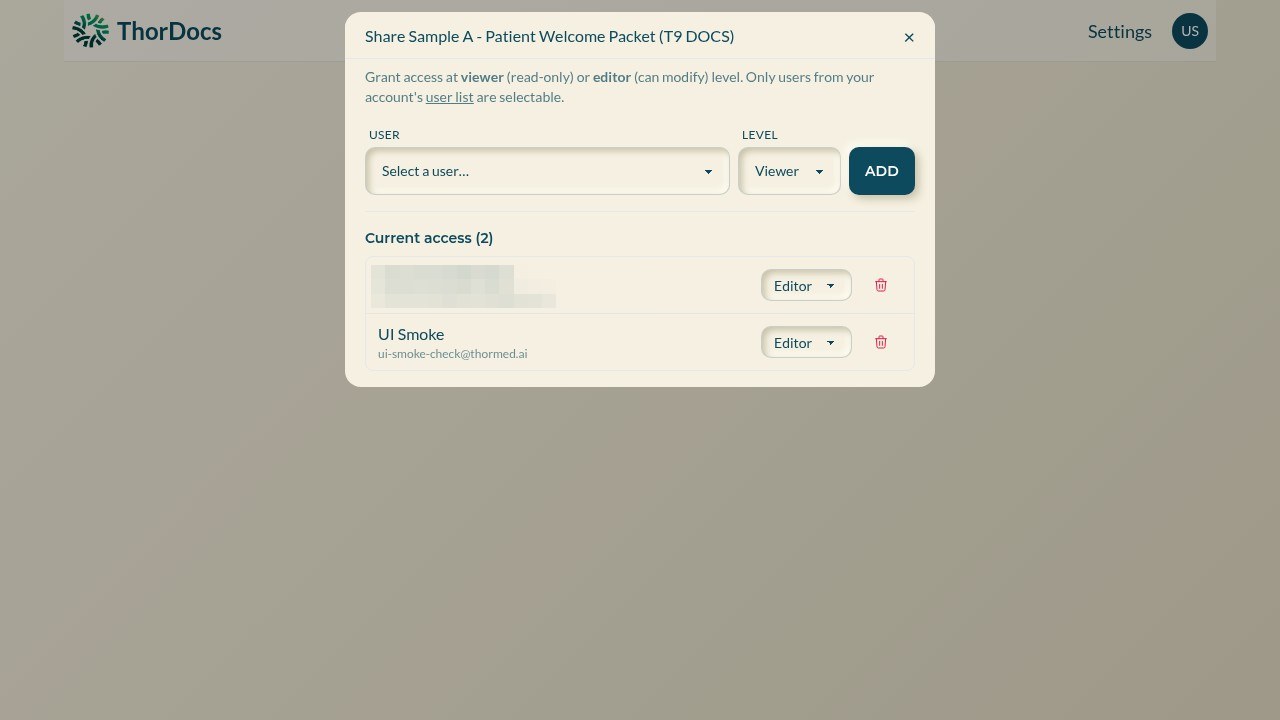
On the template page, select SHARE. The dialog lists who currently has access and at what level; a padlock appears on the template's dashboard card once a list exists.
-
Grant viewer or editor access
Pick a user from the account's user list, choose Viewer (read-only) or Editor (can modify and send), and select ADD. Only users already in your account can be granted access — this controls visibility inside the team, not external sharing.
-
Adjust or revoke
Change a person's level inline or remove them with the delete control. Remember that account admins retain administrative oversight, and every grant change is recorded in the audit log.