Four platform capabilities are gated by per-account feature flags — document markup, the in-browser editor, the legal assistant, and translation. Only platform super-admins can see or change them; other admins get a 404 on this page.
-
Open the panel
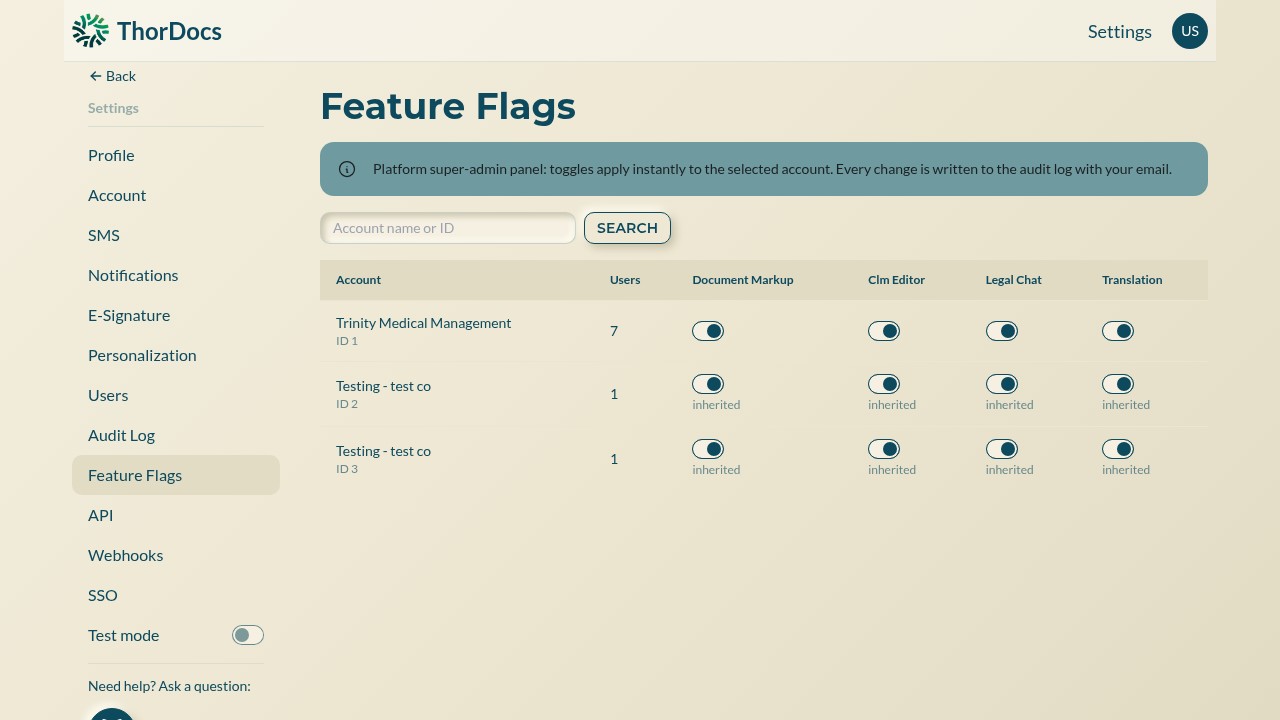
Go to Settings → Feature Flags. Each account row shows its user count and one toggle per capability; the search box finds an account by name or ID on larger deployments.
-
Flip a flag
Toggles apply instantly — no restart, no save button. "Inherited" under a toggle means the account has no explicit setting of its own and follows the platform default; flipping it writes an explicit value for that account.
-
Rely on the paper trail
Every change is written to the audit log with the acting super-admin's email, so a capability appearing or disappearing for an account is always attributable.