The Legal Assistant reads the document open in the editor and answers questions about it — summaries, obligations, plain-English explanations of clauses. Requests are processed by Amazon Bedrock under Trinity Medical Management's AWS account; model providers do not receive prompts for training.
-
Open the assistant
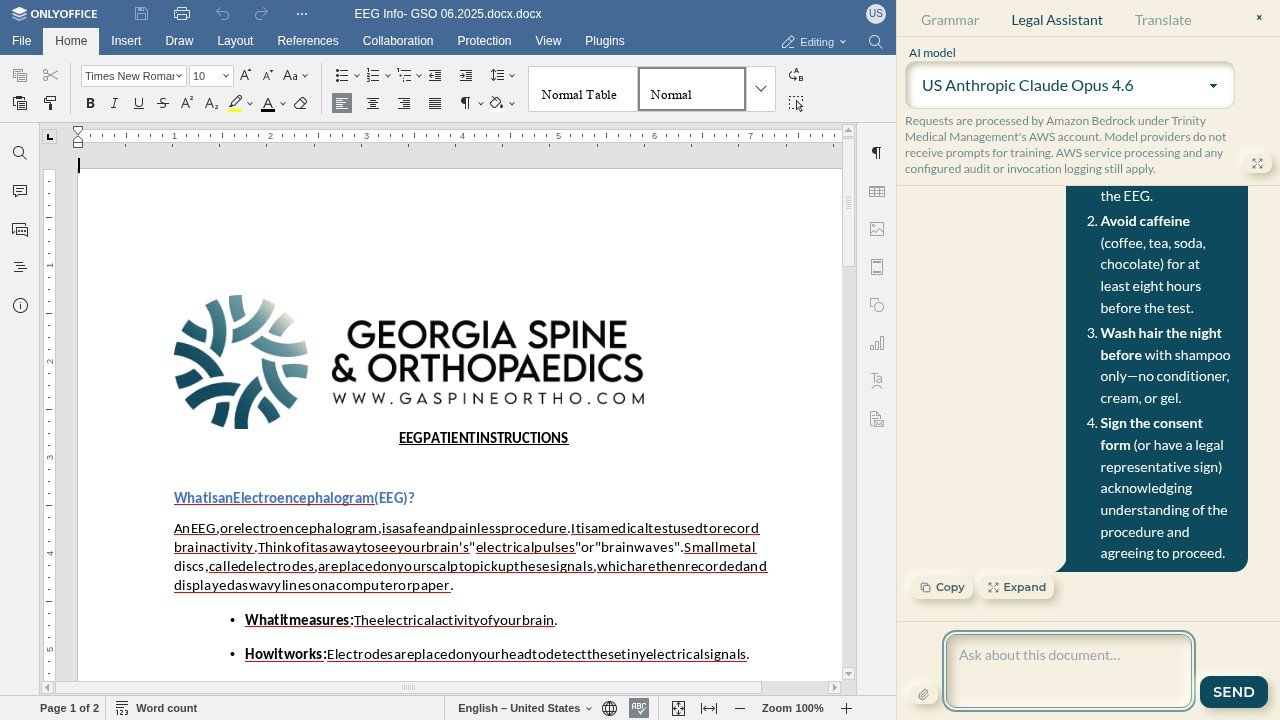
In the in-browser editor, select the Legal Assistant tab in the side panel. Pick a model from the dropdown — the default is US Anthropic Claude Opus 4.6, with other Bedrock-hosted models available for speed or cost trade-offs.
-
Ask about this document
Type a question — "summarize the patient's obligations", "which sections mention consent" — and SEND. Answers arrive formatted, with Copy to grab the text and the paperclip to attach an additional file for context.
-
Expand when the answer is long
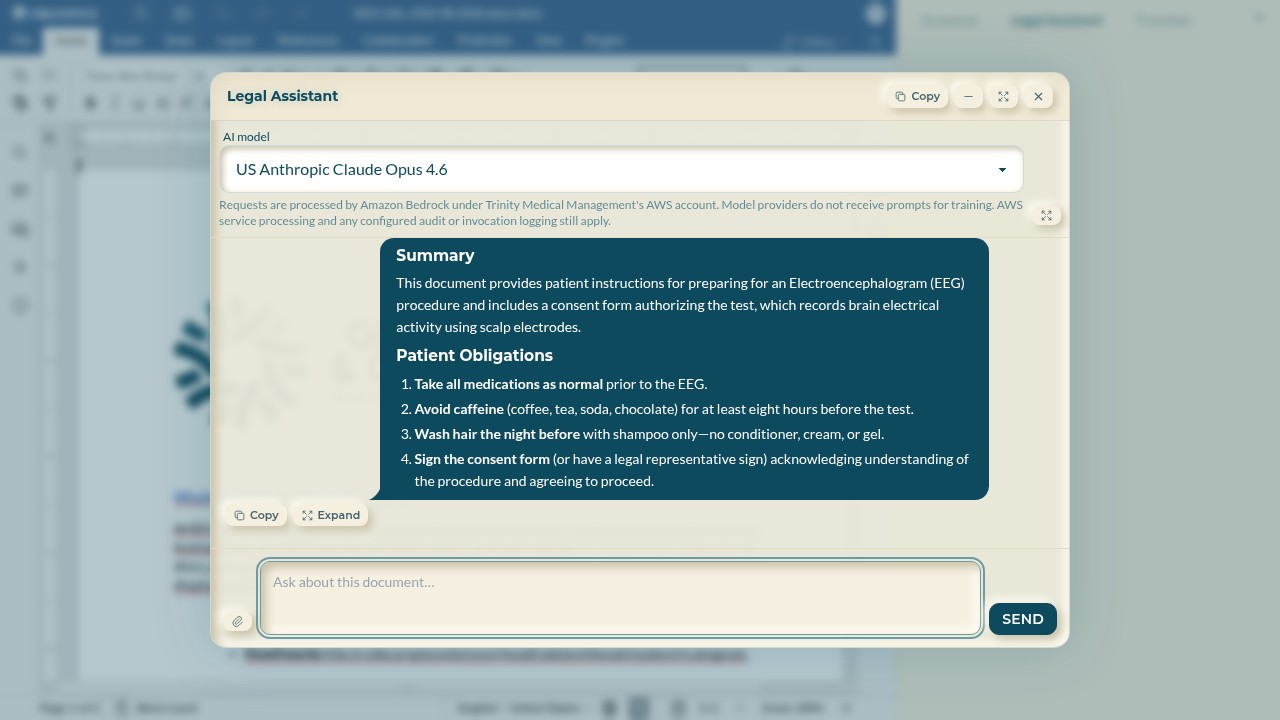
Select Expand to lift the conversation into a large modal that can be maximized or minimized to a pill while you keep editing. The conversation stays with the document while the editor is open.
-
Treat it as an assistant, not counsel
The assistant explains and summarizes; it does not replace legal review. Verify anything consequential against the document text — which is always right there beside the panel.