Translation renders the last saved version of the document into a target language and downloads it as a PDF — Spanish patient instructions from the English master in a couple of clicks.
-
Open the Translate tab
In the in-browser editor, select Translate in the side panel and choose the target language — Spanish, French, German, Portuguese, Chinese, Vietnamese, Korean, or Arabic.
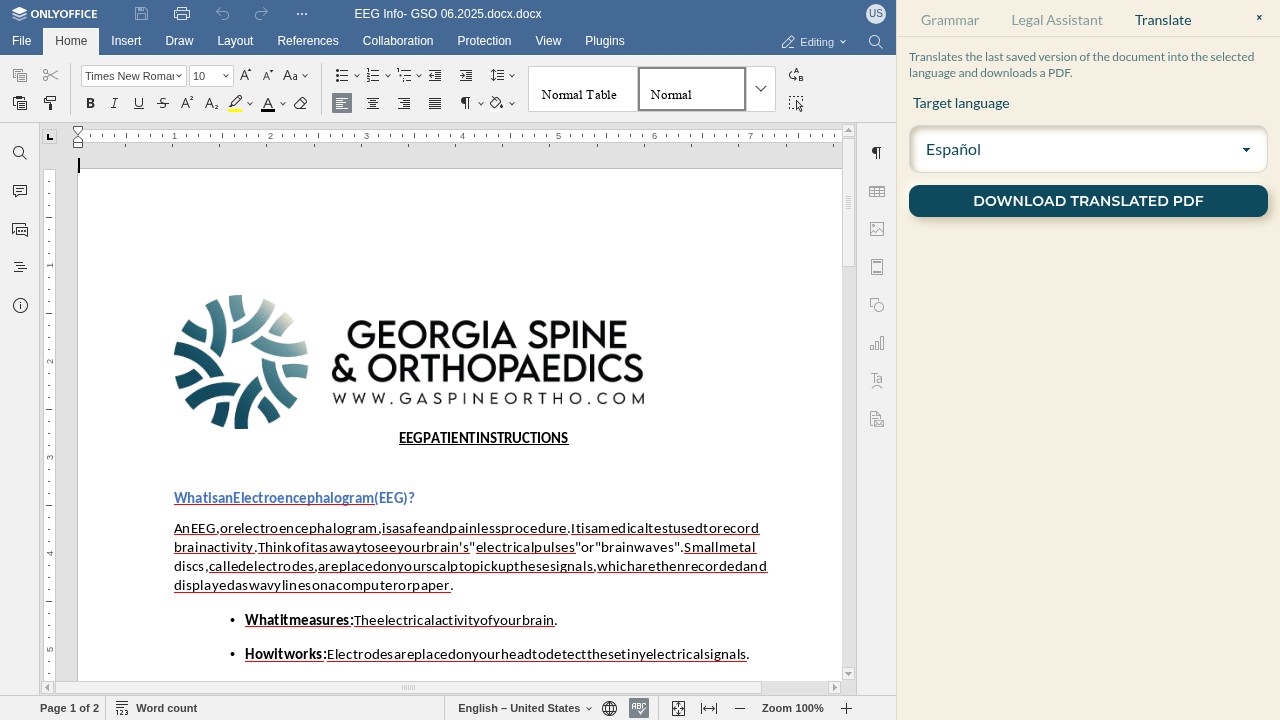
-
Download the translated PDF
Select DOWNLOAD TRANSLATED PDF. For Word, HTML, and text documents ThorDocs preserves the original formatting — headings, lists, and layout carry over. Very large documents fall back to a clean text-only rendering.
-
Save before you translate
The translator reads the last saved version, so save your edits first. Like the assistant, translation runs on Bedrock under TMM's own AWS account — documents are not shared with outside services for training.