The grammar checker reviews the saved document and lists concrete problems with suggested fixes — a fast pre-flight before a template starts collecting signatures.
-
Run the check
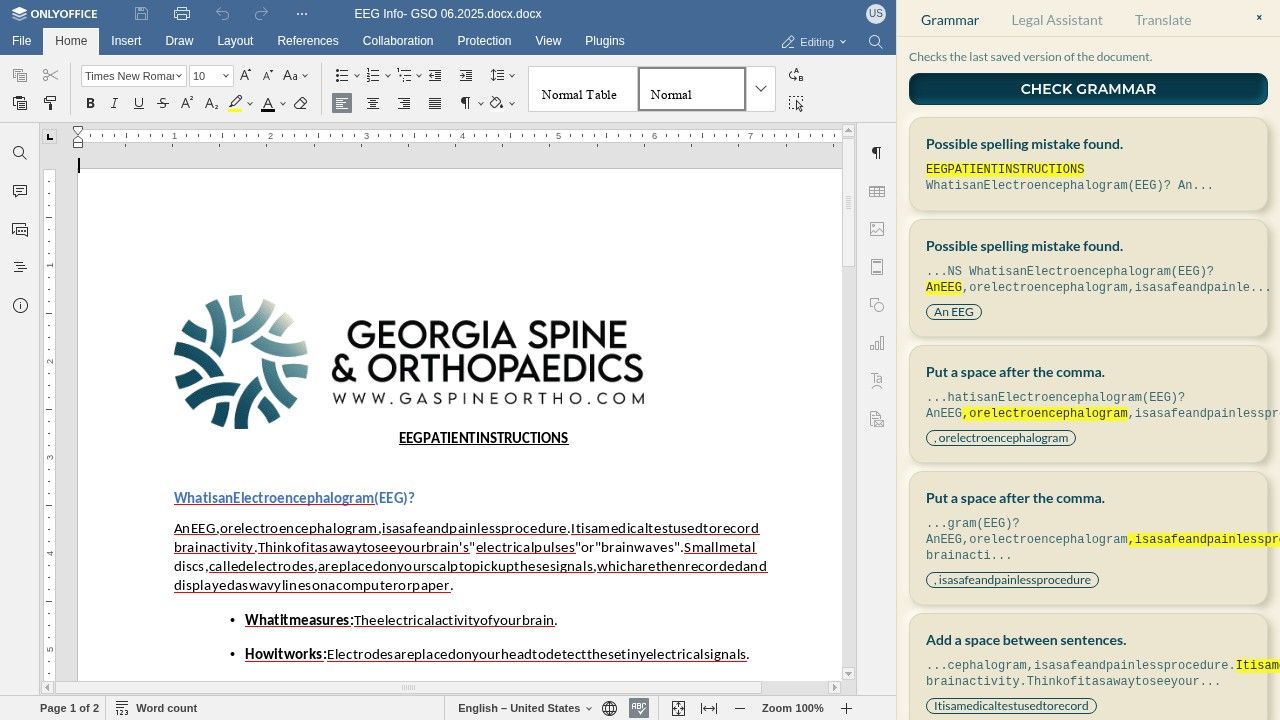
In the editor's side panel, open the Grammar tab and select CHECK GRAMMAR. The checker works on the last saved version of the document, so save first.
-
Work through the findings
Each card quotes the problem in context — a possible spelling mistake, a missing space after a comma — and shows the suggested replacement. Apply fixes in the editor on the left as you go.
-
Re-run until clean
Save and run the check again after editing; a clean pass is quick. Catching these issues at the template stage means every future submission inherits the corrected text.