Markup lets a recipient propose a change to the document text instead of silently declining. The proposal routes to a fixed approval group — the sender plus a seat for each signing party — and the document stays locked while the proposal is pending.
-
Enable markup
Markup is available when your administrator has enabled the document-markup feature for the account and markup is switched on for the specific template. Once both are true, signing pages for that template show a "Propose a change" button in the header.
-
Propose a change (signer side)
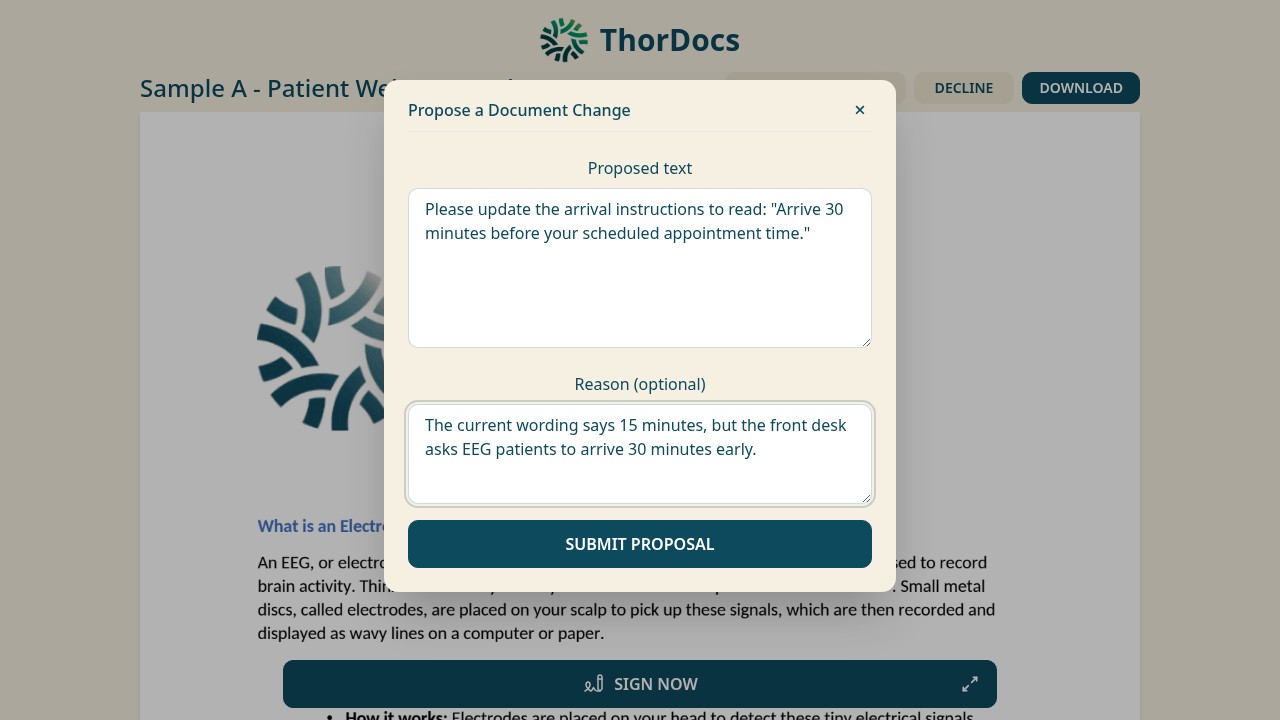
The signer selects Propose a change, enters the proposed text and an optional reason, and submits. Their signing view then shows a pending-approval notice — they cannot finish signing until the proposal is resolved.
-
Approve or reject (quorum side)
Every seat in the approval group — sender and party representatives — receives an email with a private decision link. The proposal is accepted only if every seat approves; a single rejection resolves it as rejected, and the roster is fixed when the proposal is created, so it cannot be diluted afterwards.
-
Understand the safety rails
Proposals must reference an existing field area, and once any signer has already finished or declined, new proposals are refused — the system fails closed to protect partially executed documents. Every proposal and decision lands in the audit log.