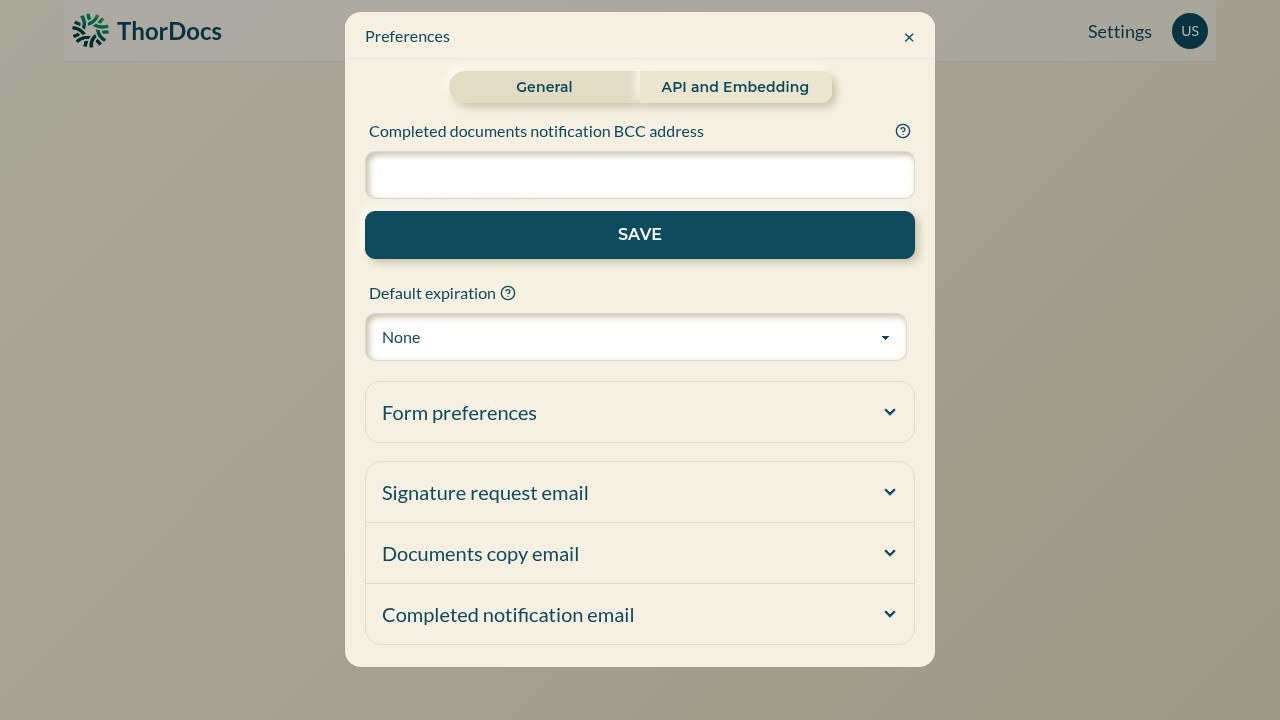
Notification settings decide who hears about completed documents and how persistent the reminder emails are. Account-wide defaults live in Settings; individual templates can override them.
-
Set the account defaults
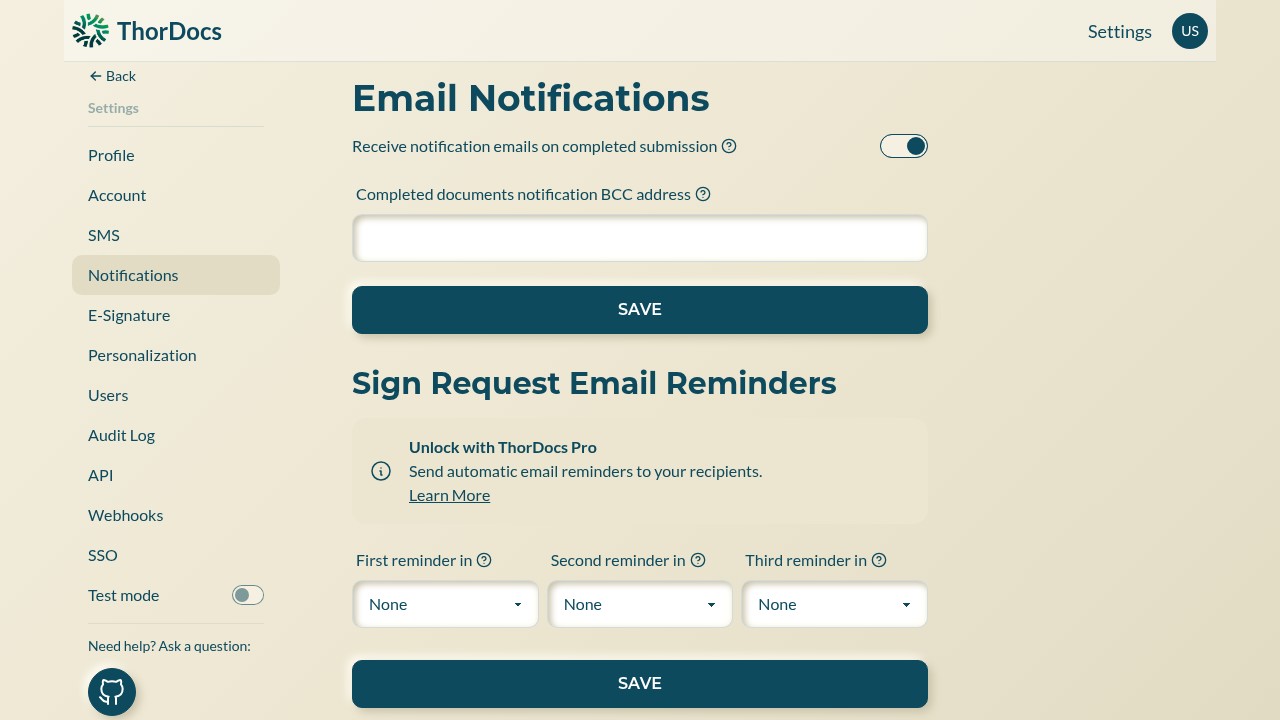
In Settings → Notifications, keep "Receive notification emails on completed submission" on to be told when documents finish. Add a BCC address — a records inbox, for example — to receive a blind copy of every completed-document email for archiving.
-
Configure the reminder ladder
The same page holds three reminder slots — first, second, third — each from one hour to thirty days after sending. A sensible ladder (say one day, three days, one week) chases stragglers without spamming them.
-
Override per template
Open a template's Preferences to set a different BCC address, a default expiration for its requests, and custom wording for its signature-request, document-copy, and completed-notification emails — useful when one form belongs to a different site or department than the rest.