The audit log records every significant action — sign-ins, sends, signatures, settings changes, markup decisions — with actor, IP address, user agent, and structured metadata. Admin role required.
-
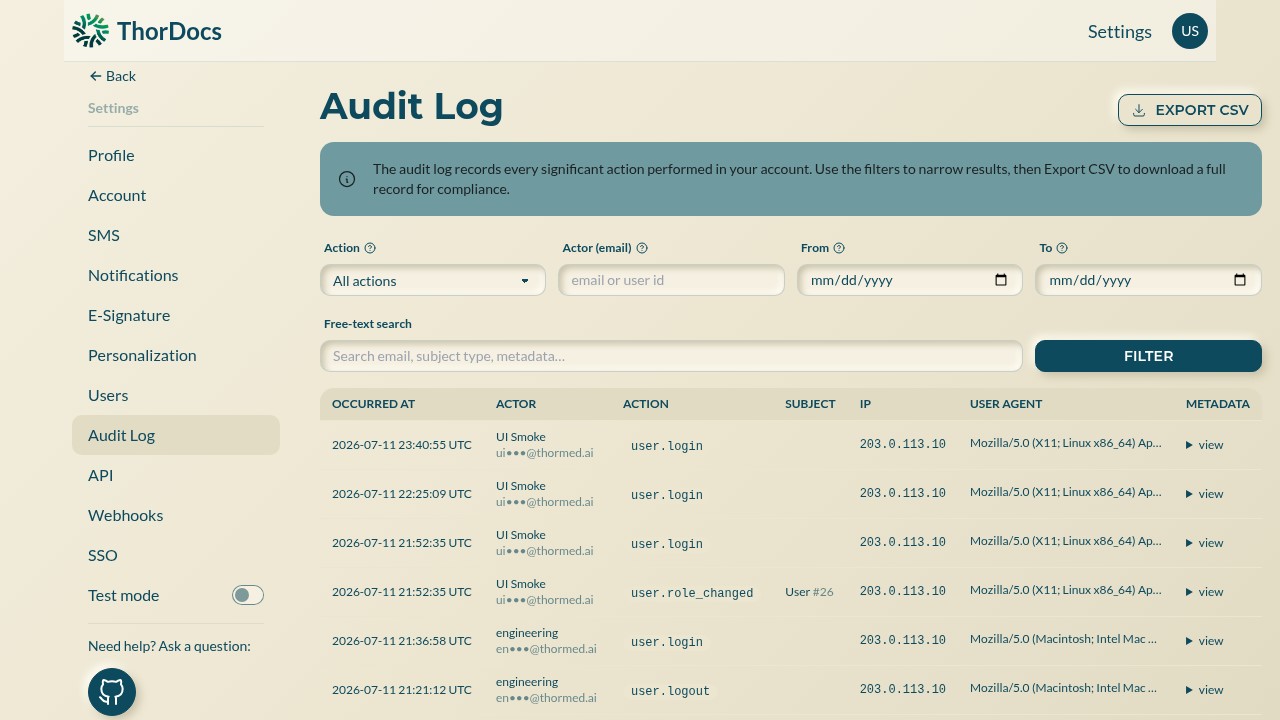
Open and filter
Go to Settings → Audit Log. Narrow by action type, actor email, date range, or free-text search across emails, subject types, and metadata, then select FILTER.
-
Read an event
Each row shows when, who, what, and to which subject — with the source IP and browser. Select view under METADATA for the raw structured details of the event, useful when reconstructing exactly what a bulk action touched.
-
Export for compliance
EXPORT CSV downloads the full filtered record. Because feature-flag changes, markup decisions, and role changes are all logged with the acting email, the export stands on its own in a compliance review.