ThorDocs includes a full in-browser document editor, so fixing a typo or updating a policy paragraph does not require downloading, editing, and re-uploading the file. Your administrator can enable or disable this capability per account.
-
Open the editor
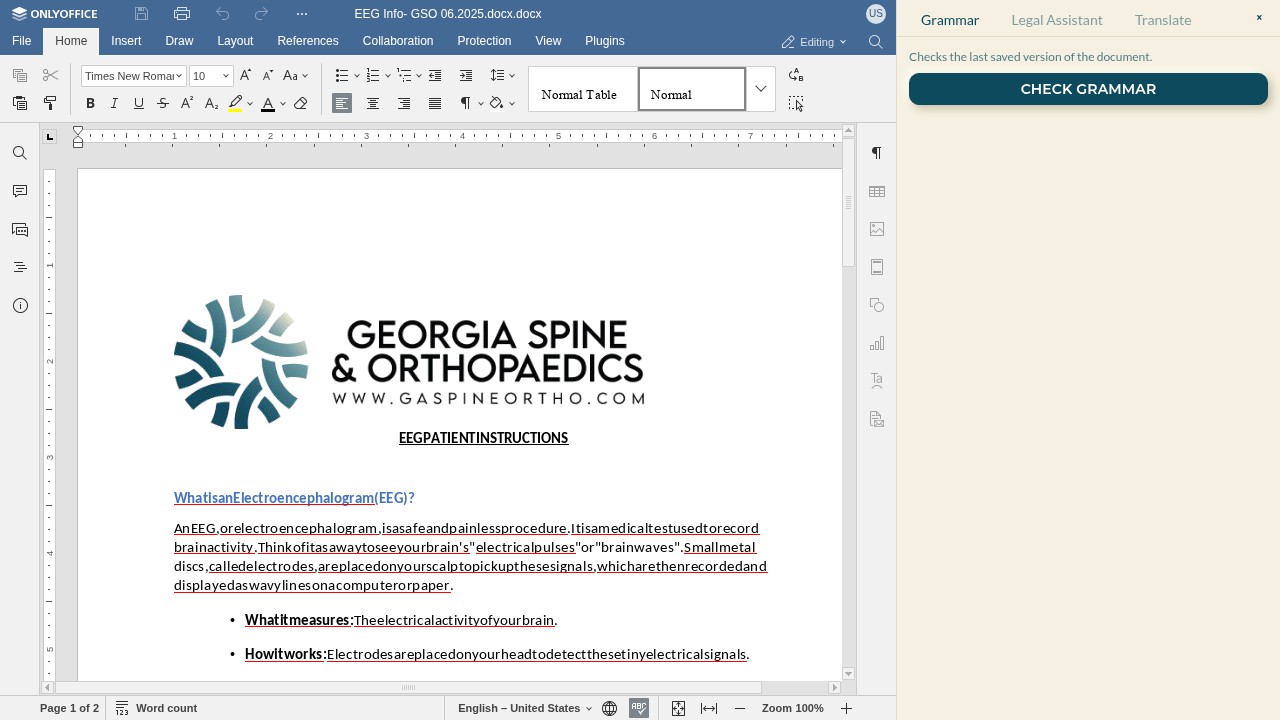
On the template page, choose Edit document. The document opens in a familiar word-processor interface with the usual formatting ribbon — fonts, lists, tables, headers, and search.
-
Edit and save
Make your changes directly in the page. Saving stores a new revision of the document inside the template — recipients you send to afterwards get the updated text under the same field layout. Double-check field positions after large layout changes.
-
Mind pending signatures
A template that currently has submissions out for signature cannot be edited — ThorDocs blocks the save to protect documents people are actively signing. Wait for the pending submissions to finish, or archive them, then edit.