Every sent request is a submission with a live status. Tracking answers "who has signed", and reminders chase the ones who have not — automatically.
-
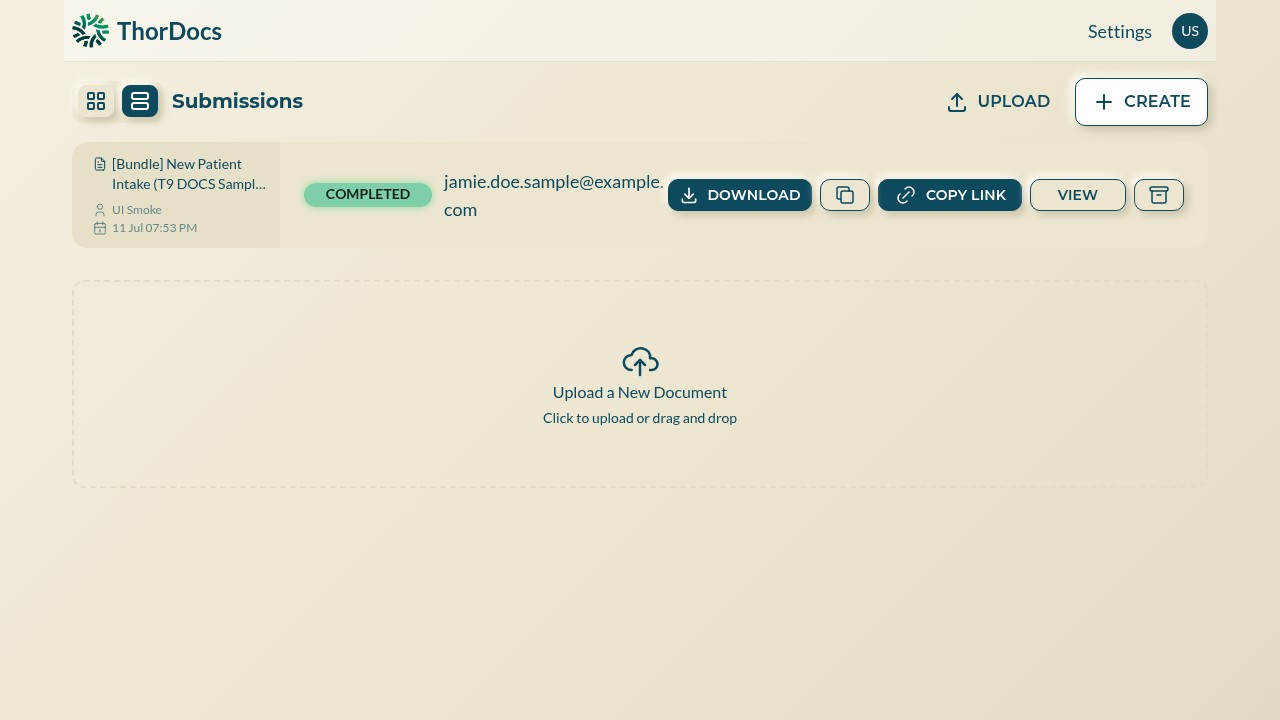
Scan the Submissions view
Switch the dashboard to Submissions. Each row shows the template, the recipient, and a status badge, with DOWNLOAD, COPY LINK, VIEW, and archive actions inline. COPY LINK is the quickest way to re-send a signing URL by any channel you like.
-
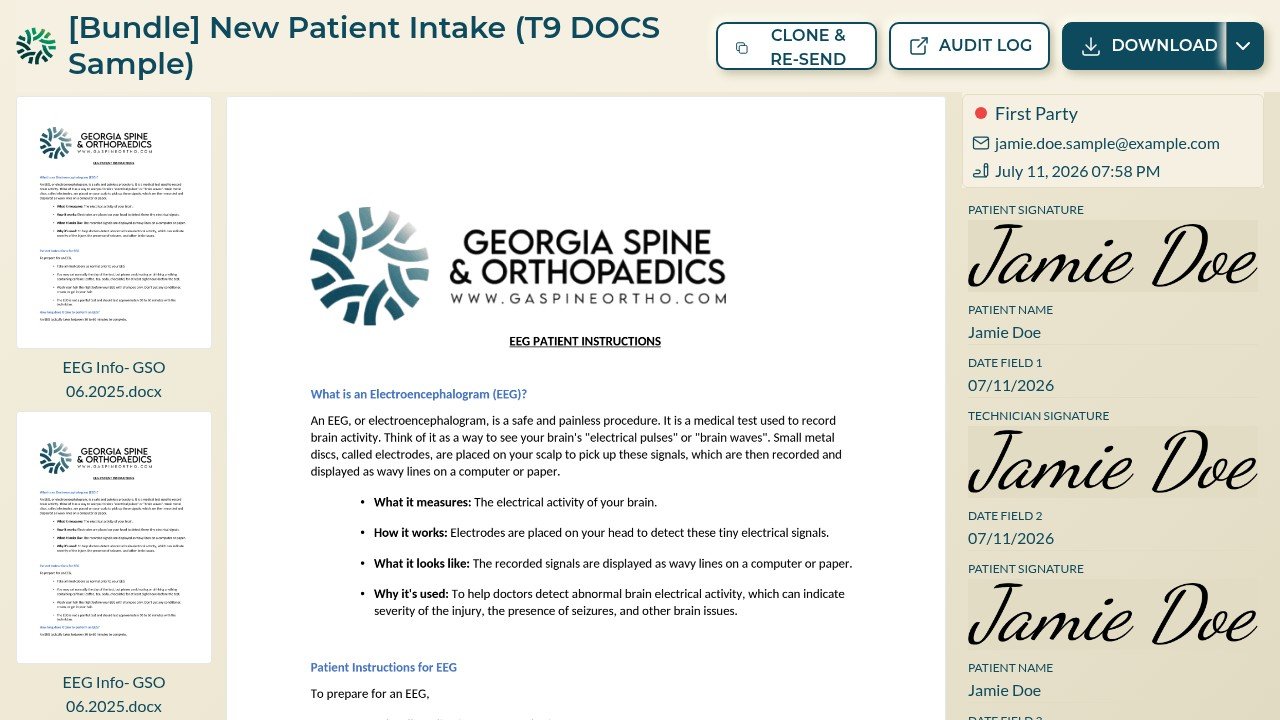
Drill into one submission
Select VIEW to open the submission page — the signed document preview, each party's progress and field values, an AUDIT LOG button for the event-by-event trail, and DOWNLOAD for the sealed PDF.
-
Automate reminders
In Settings → Notifications, set up to three automatic reminder emails — first, second, and third — anywhere from one hour to thirty days after the request goes out. Recipients who already signed are never reminded.